
Your logo. Colours. Sub-domain.
Your customers never need to know the training runs on uQualio
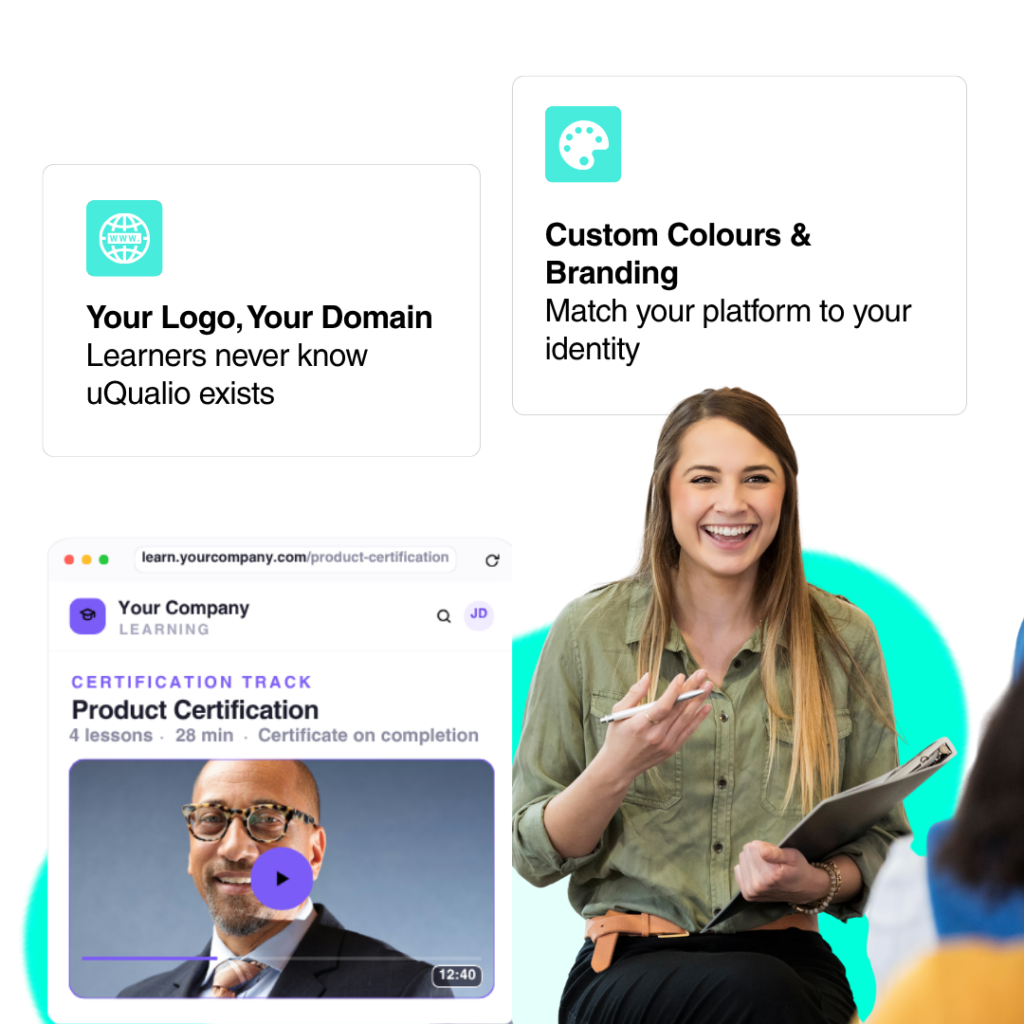
uQualio’s white-label layer replaces every visible uQualio touchpoint with your brand, the platform, the login screen, the course pages, the certificates, and every email your learners receive.
No code · No hassle · Plans from $19.99/month
Third-party branding erodes trust at exactly the wrong moment.
When your new customer clicks the onboarding link and sees an unfamiliar platform logo, one of two things happens: they hesitate, or they call support to ask what they’ve been sent. Either outcome costs you time.
White-labelling removes that friction. The training link opens inside your branded platform. The quiz looks like yours. The certificate carries your logo. The completion email comes from your domain. Your customer never thinks about the software behind it; they just complete the training.
For partner and reseller networks, the same logic applies in reverse: your partners should see your brand on every touchpoint, not a third-party tool. A branded training environment signals that this is your programme, not an afterthought.
uQualio's white-label
For customer-facing onboarding
Your customer buys your product. They receive an onboarding link. It opens to a platform with your logo, your colour palette, and your product’s name above the course. Or you embed it in your own application. They complete the training, pass the quiz, and download a certificate with your branding on it.
None of that requires a developer. It’s configured in the uQualio admin panel: logo upload, colour picker, certificate design, and custom email templates. Done in an afternoon.

That’s how DORA integrated/embedded training directly into their website under “Help & Support.” Their customers see DORA, not uQualio.
Every learner-facing touchpoint is yours
White-label in uQualio means brand replacement, not brand overlay. Here’s what changes.
Custom sub-domain
Your learning platform lives at [your_name].video4learning.com, or integrated on your existing website.
The domain is set during your account setup and appears in the browser bar, in every link you send, and in every learner bookmark.
Full colour system on all surfaces, not just the header
Most LMS platforms let you upload a logo and change one accent colour. uQualio’s colour configuration covers every visible surface independently: background colour, menu bar, menu bar text, footer, footer text, buttons, and badge colours.
The result is a platform that looks like it was built to your brand spec, not like someone swapped a logo onto a generic template.
Branded PDF certificates - your credential, not uQualio's
Every learner who passes a course receives a downloadable PDF certificate. It carries your logo, your course name, and the learner’s name. The uQualio name does not appear.
Set an expiry date and uQualio automatically sends a re-certification invitation when the certificate lapses — from your domain, in your template.
Notification emails from your domain
Every automated email the platform sends — course invitation, completion confirmation, certificate delivery, non-completion reminder — goes out from your email address, in your template, with your subject line.
Learners receive noreply@yourcompany.com, not a uQualio system email. The notification template editor covers every email type, every language. 18 interface languages means you can set separate templates per language if your audience spans multiple countries.
Custom login screen - your brand is the first thing they see
The login screen is the first thing a new learner sees when they follow your onboarding link. In uQualio’s white-label configuration, that screen carries your logo and your colour palette. Not a uQualio welcome screen.
Embed uQualio inside your own product
If you want training to live inside your application or website – not as a separate link – uQualio supports iFrame embedding and headless deployment via the REST API. Learners never leave your product environment.
Applied Information embedded uQualio as a Help button inside their Glance traffic management platform. SecureFirst built uQualio into their cybersecurity compliance product as the e-learning layer. Their customers see Applied Information and SecureFirst – not uQualio.
Sell courses under your own brand
The eCommerce add-on connects your Stripe account to your white-labelled platform. Buyers check out and pay within your branded environment. You design your own landing page as you want it; here is an example.
No uQualio branding appears in the purchase flow. Set pricing in any currency; keep 100% of what Stripe pays out. The add-on is $20/month.
Every learner-facing touchpoint is yours
White-label in uQualio means brand replacement, not brand overlay. Here’s what changes.
Feature Comparison
What "white label" actually means
- uQualio vs. typical LMS
| uQualio | Typical "white label" LMS | |
|---|---|---|
| Full colour system (all surfaces) | ✅ | Logo swap + one accent colour |
| Branded PDF certificates | ✅ Your logo, no vendor name | Vendor logo on certificate |
| Notification emails from your domain | ✅ Full template per type and language | Vendor email with your name in it |
| Branded login screen | ✅ | Vendor login screen |
| iFrame / headless embed | ✅ REST API | Enterprise tier only |
| eCommerce under your brand | ✅ Stripe, 0% revenue share | Third-party plugin or unavailable |
| Setup without a developer | ✅ Admin panel, under 2 hours | IT project required |
| Pricing | From $19.99/month | $500–$2,000+/month |
But don’t take our word for it
– see what our customers have to say:

Customer Cybersecurity Awareness Training for ISO 27001
“uQualio is like Udemy, but for private use within your own company. It has been really easy to set up, e.g., adding small videos and quizzes. Definitely saving time and just one less thing to worry about, which is very important when you're a founder. So, if you have to repeat something more than twice, you should make a video.”

Bodil Biering
Founder and CEO of Cyberjuice


Increasing Competence with Technical Product End-User Training
“We use uQualio for onboarding new end-users, to organize and distribute information about the proper use and maintenance of equipment. Getting started is easy, and this microlearning video LMS platform is both affordable and completely customizable.”

Eileen
Technical Writer at a White-Label Product Company

Get started
Your brand on the platform. Live in under 2 hours.
Upload your logo. Set your colours. Configure your domain. Customise your notification templates. Publish your first course. Most teams finish the complete brand setup in a single afternoon, without touching a line of code.
Common questions about white-labelling uQualio
- Can you white-label uQualio?
Yes. uQualio’s white-label configuration covers every learner-facing touchpoint: your domain, your logo, your full colour system, branded PDF certificates, notification emails from your domain, a custom login screen, and iFrame or headless embedding if you want training to live inside your own product. None of it requires a developer.
- Does uQualio support a custom domain?
Partly. Your platform can be served from
[your-name].video4learning.comor embedded on your own website. The sub-domain name is configured during account setup. - What's the difference between uQualio's white-label and just uploading a logo?
Most platforms call it “white label” when you can upload a logo. uQualio’s configuration covers every visible surface independently: background, menu bar, menu bar text, footer, footer text, button colours, badge colours, certificate design, and notification email templates per language and type. The learner experience looks like a purpose-built platform, not a generic tool with your logo on it.
- Will learners see uQualio branding anywhere?
On a white-label setup: only the sub-domain name. Your logo replaces the uQualio logo. Your notification email templates replace the default system emails. PDF certificates carry your logo. The only place uQualio may be visible is in meta-level documentation or support channels, not in the learner experience itself.
- Can I embed uQualio inside my own product or website?
Yes. uQualio supports iFrame embedding and headless deployment via the REST API. Learners complete training inside your application without being redirected. DoraTMS uses this to embed training as a Help button within their platform. SecureFirst also uses it to deliver compliance training as part of their own product. Their customers never leave the SecureFirst environment.
- Does the eCommerce checkout show uQualio branding?
No. Course purchases and payments happen within your branded platform. Buyers see your product name, your pricing, and check out via Stripe without any uQualio branding visible. You keep 100% of the Stripe payout. The eCommerce add-on is $20/month.
- How is SP6 (White Label) different from SP5 (Platform Configuration)?
White label is about what your learners see: your brand identity replacing uQualio’s across every visible touchpoint. Platform Configuration is about what your admins control: the 50+ settings that define how the platform behaves, including signup flows, access controls, notifications, AI settings, and integrations. In practice, you configure both configuration and settings that define the behaviour; the white-label settings define the appearance.
- How long does white-label setup take?
Most organisations complete core brand setup: logo, colours, domain, certificate design, notification templates, in under one hours. Every setting has a built-in video guide in the admin panel. No developer, no ticket, no waiting.