
New hire onboarding scales with video
Get every new hire productive, not just present
Let’s face it: a slide deck on day one doesn’t make anyone ready by day thirty.
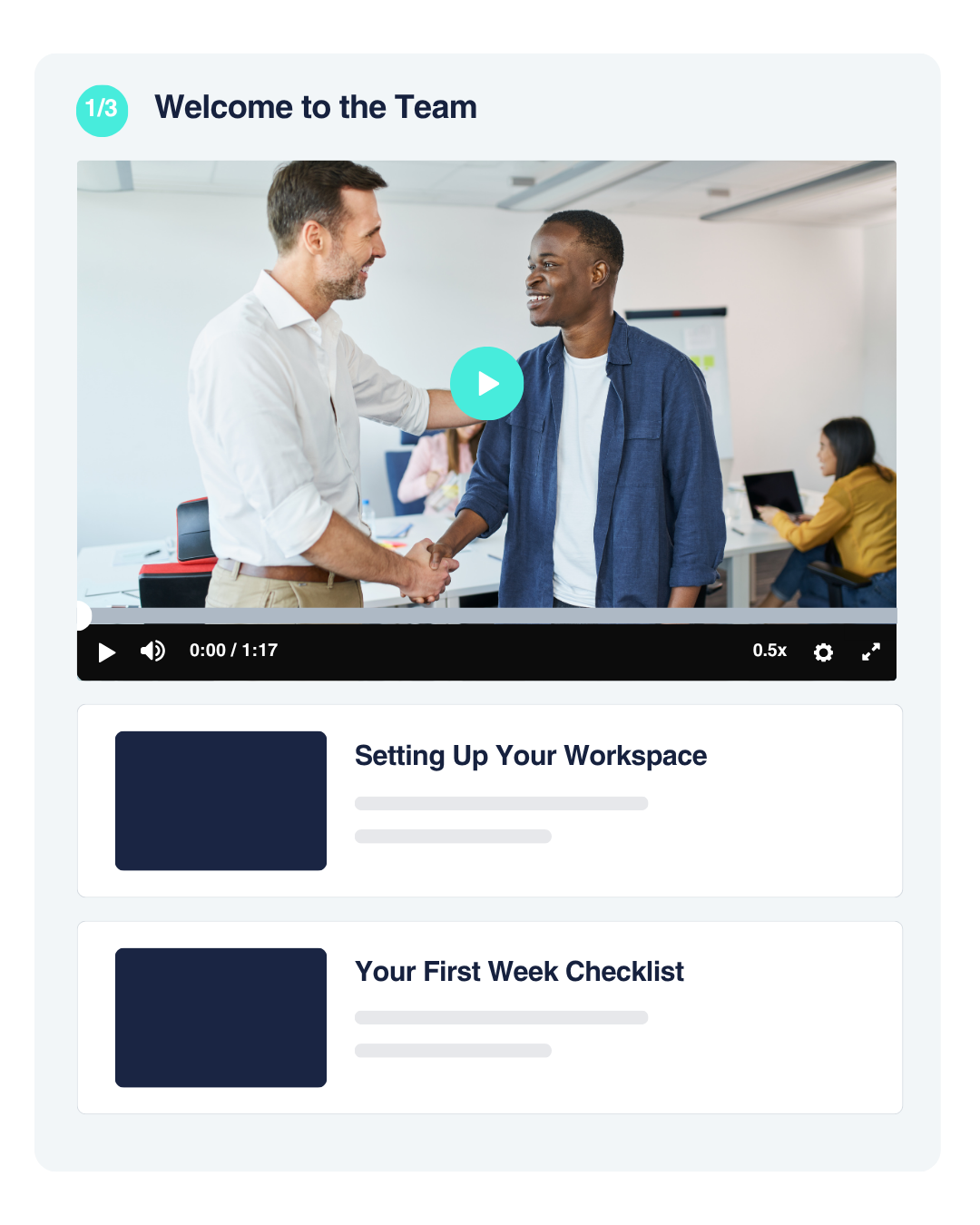
That’s why uQualio turns your onboarding materials, from company intros to IT walkthroughs, into short video courses automatically. No studio required.
faster time-to-productivity
time from upload to onboarding course
reduction in onboarding cost
improvement in 90-day retention
Companies onboarding new hires with uQualio



Your best new hire and your struggling one got the exact same first week
The difference is one of them could actually find the answer when they needed it, and the other just muddled through.
You might need a different onboarding approach if you have:
Slow Ramp-Up
New hires take weeks to become productive, and every new hire means repeating the same explanations from scratch.
Inconsistent Onboarding
No Visibility
You can’t tell who’s actually absorbed the basics and who’s quietly still lost, until it shows up in their work.
Engaged employees are 87% less likely to leave their company, and organizations with a strong onboarding process see 69% of new hires still there three years later, the ramp-up matters long after week one.
Start 14-day free uQualio trialHow uQualio's onboarding platform works
Go from a video to a confident new hire in four steps
01
Record onboarding video once
Upload an onboarding session you already run, or record this week’s version on your laptop. No studio or instructional designer needed.
02
uQualio turns it into a course
uQualio automatically transcribes the video, breaks it into short chapters, writes quiz questions, and translates the whole thing into 30+ languages. Review and press publish.
03
Build your Onboarding Academy
Group courses by role, department, or location, so each new hire only sees what’s relevant to them.
Send invites with a click, even before their first day if you want them arriving prepared.
04
Track employee progress
Monitor who’s completed what, individually or by cohort. Send reminders, and know exactly who’s ready before they need to be.
Go from a video to a confident new hire in four steps
Customer story
Fcode Labs cuts onboarding time in half with uQualio
Fcode needed a faster, more professional way to onboard new employees without repeating the same explanations for every new hire.


Why companies choose uQualio for onboarding
Made for a professional first impression, not a slide deck

Your Own Onboarding Academy
Group courses by role or department, so every new hire sees exactly what’s relevant to them, nothing more.

Revisit Anytime
New hires can rewatch any lesson whenever they need a refresher, instead of asking a coworker to explain it again.
Confidential & Controlled
Share sensitive company information and files securely, visible only to invited employees.
Ready in 30+ Languages
Onboard a distributed or international team without recording a separate version for every location.
Get started
Get your first onboarding course live this week.
Record one video today and watch it turn into a course your new hires can take before they even start. You could be live in 10 minutes.
✓ Free trial ✓ Live this week ✓ Cancel anytime
FAQ - Questions HR and L&D leaders ask
- What is employee onboarding software?
Employee onboarding software turns your onboarding materials, company intros, policies, IT walkthroughs, role-specific training, into structured, trackable courses new hires complete on their own. uQualio automatically transcribes and organizes an existing video into a course, so onboarding is documented and consistent instead of dependent on whoever happens to be training that week.
- What should I actually put in a new hire onboarding course?
Common topics include your company’s history and values, general workplace policies, the tools and IT systems new hires need on day one, product or service knowledge, and role-specific processes. Most teams start with a handful of short videos covering the basics and expand from there.
- Can new hires start before their official first day?
Yes. Course access isn’t tied to start date, so you can invite a new hire as soon as they’re signed, giving them a head start before day one instead of a first-week information dump.
- Do we need IT or an instructional designer to set it up?
No. Upload or record a video, and uQualio automatically transcribes it, drafts quiz questions, and organizes it into a course. Most teams publish their first onboarding course in under an hour.
- Can different departments or roles see different onboarding content?
Yes. Group courses into an Onboarding Academy by role, department, or location, so a new hire only sees what’s relevant to them rather than a single generic course for everyone.
- What does it cost?
Plans start at $19.99 per month, based on active users, so you’re not paying for onboarding seats nobody’s using that month. A 14-day free trial is available.
- How is this different from an LMS like BambooHR or Rippling's onboarding tools?
HR platforms like BambooHR or Rippling handle onboarding paperwork and task checklists well, but they’re not built for turning a video briefing into an interactive, trackable course. uQualio is video-first: transcription, quizzes, and translation happen automatically from the upload itself, and it can run alongside whatever HR system you already use.