
You'll have your first course live before you need support. And when you do need it, a person answers.
uQualio gives every customer — including free trial users — access to built-in video guides, weekly live office hours, and real humans in live chat. No bot. No ticket queue that takes three days. No $10,000 onboarding package required.
No code · No hassle · Plans from $19.99/month

Most LMS vendors charge you to get started. uQualio doesn't.
Enterprise and mid-market LMS platforms typically charge between $2,000 and $10,000 for an onboarding engagement before you build your first course. That engagement books a consultant to configure the platform, migrate your content, and train your admins – work that in uQualio takes an afternoon with a browser and a video.
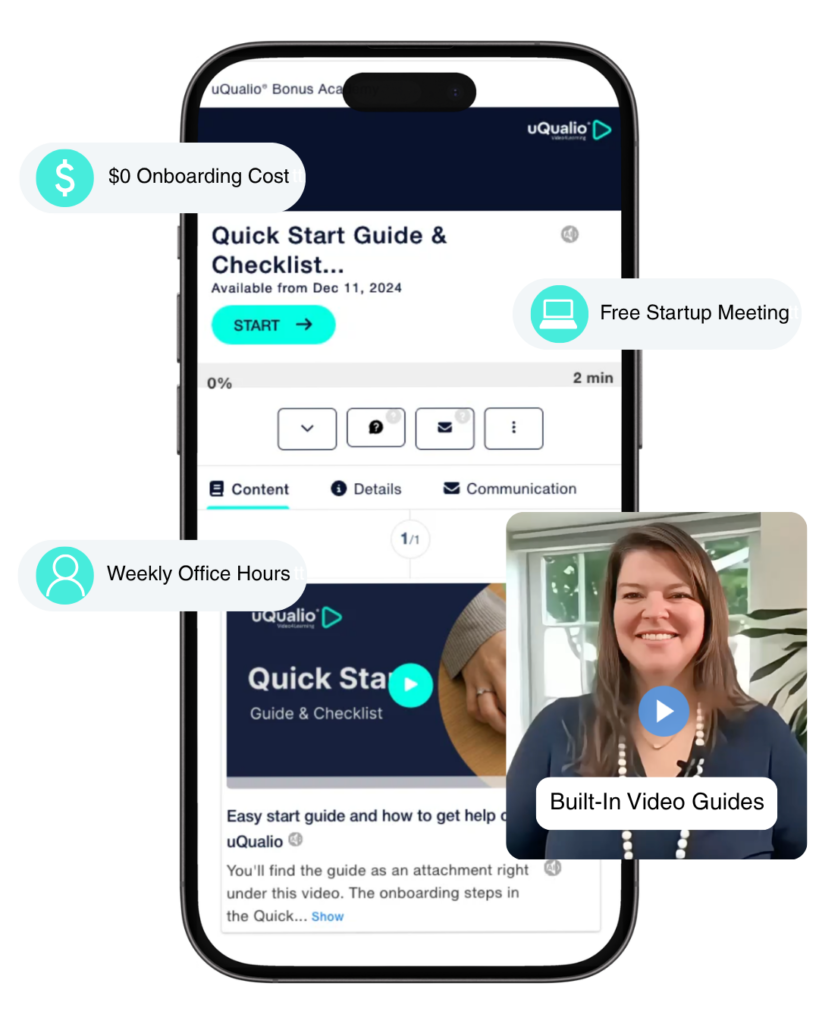
uQualio’s onboarding cost is $0. You get built-in video guides inside the platform, a free startup meeting with the team, and weekly live office hours run by a co-founder. Every customer has access to these from the first day of their free trial -before they’ve paid anything.
If you’ve been quoted a five-figure implementation fee by another LMS vendor, you’re looking at the wrong product for your use case.
Live in under an hour!
If you're productizing customer onboarding:
Your free setup meeting covers your specific use case. The question isn’t “how do I use uQualio” – it’s “how do I turn my existing onboarding process into a course my customers can complete before the first support call.”
We’ve helped dozens of SaaS and services companies build their first customer onboarding course in under a day. The meeting covers: course structure for your product, how to set access modes per customer account, how to track completion and send the certificate, and how to update the course when your product changes without breaking existing links.

Most teams leave the meeting with a published course and a plan for the next three.
Four support channels
Four ways to get help - none of them a chatbot
Built-in video guides - made by the CEO, available 24/7
Every configuration area in uQualio has a built-in video guide that explains exactly what the setting does and how to use it. These guides were created personally by uQualio CEO Hatla Johnsen — not by a documentation team writing about a product they don’t use daily.
They’re available 24/7 inside the admin panel, at the point where you need them. You don’t search a knowledge base. You click the help icon next to the setting you’re configuring and the guide appears.
Coverage: system configuration, course creation, content distribution, reporting, user management, and platform customisation.
Live chat with product experts - included on all paid plans
Live chat connects you with uQualio product experts — people who know the platform and use it daily. Not a first-line support agent reading from a script. Not a bot routing your question to a ticket queue.
Available to all administrator-level users on paid plans. No premium tier required. No SLA upgrade to buy.
For trial users evaluating the platform: live chat is available during your trial period so you can get real answers before you decide.
Weekly office hours - run by a co-founder
Every week, co-founder and Chief Product Officer Christian runs a live, complimentary office hours session. Bring your specific setup questions, your configuration challenges, or your use case — and get answers from the person who built the product.
Topics covered in office hours: specific use cases, branding and platform setup, course structure, distribution questions, and subscription questions.
Most customers who attend office hours launch their first course the same day.
Email support - for issues that need investigation
For problems that need documentation, escalation, or a tracked resolution: support@uqualio.com. Formal ticketed support with written records – useful for compliance-sensitive organisations that need documented support trails.
Monthly product webinars - know what's new
Monthly product news webinars for all customers: what shipped, what’s coming, and how to use new features. On-demand admin walkthrough webinars are available for new team members joining an existing account.
How it compares
What support actually costs - uQualio vs. typical LMS vendors
| Support feature | uQualio | Mid-market LMS | Enterprise LMS |
|---|---|---|---|
| Onboarding cost | ✅ Free | $500–$2,000 | $2,000–$10,000+ |
| Day 1 support access | ✅ Including trial | ❌ Paid plan only | ❌ Paid plan only |
| Live chat | ✅ All paid plans | Premium tier only | Enterprise tier |
| Built-in platform video guides | ✅ CEO-created, contextual | Generic documentation | Knowledge base articles |
| Live office hours with founders | ✅ Weekly, free | ❌ Not available | ❌ Not available |
| Dedicated onboarding call | ✅ Free startup meeting | Paid package | Paid engagement |
| Email support | ✅ All plans | All plans | All plans |
| Response time | Real-time (chat) | Hours to days | Hours to days |
Scale training without repeating yourself - like our customers do!

Scalable and Flexible On-Demand B2B Sales Training Slashes Costs
“uQualio allowed me to get onboard very quickly. We took 2 programs for 50 people globally and implemented them in just two weeks over the holidays. The savings are significant — $500,000 in travel expenses alone — while making the training infinitely more scalable and flexible.”

JP Amlin
Author, Sales Trainer & Coach, B2BProfessionalSales


Integrated eLearning Component of Cybersecurity Awareness
“Using uQualio, SecureFirst helped its customers achieve iron-clad compliance adherence 87% faster, by saving ~200-300 hours in product R&D time.”

Dion Grydell
Founder and CEO of SecureFirst

Get started
Book your free setup meeting - leave with a published course.
The setup meeting is 30–45 minutes with a member of the uQualio team. You bring your use case. We bring the platform knowledge. Most participants leave with a working course and a clear path to their first learner cohort. No sales pitch. A working session.
Joining 100,000+ users already learning on uQualio
Common questions about uQualio support
- How much does uQualio charge for onboarding?
Nothing. uQualio’s onboarding is free for all customers. You get built-in video guides inside the platform, a complimentary startup meeting, and access to weekly live office hours run by a co-founder. Competitors charge $500–$10,000 for equivalent onboarding engagements.
- Does uQualio charge for implementation support?
No. There is no implementation package, no onboarding fee, and no professional services charge to get started. The platform is designed to be self-service — most admins have their first course published within two hours of signing up. For teams who want a guided start, the free office hours and startup meeting cover that.
- Is live chat available to all customers?
Live chat with uQualio product experts is included on all paid plans — no premium support tier required. Trial users also have access to live chat during their free trial.
- Who runs the weekly office hours?
Weekly office hours are run by Christian, co-founder and Chief Product Officer of uQualio. Sessions are free, open to all customers, and cover specific use cases, configuration questions, branding setup, and subscription queries. Most participants launch their first course the same day.
- Who made the built-in video guides?
The built-in platform video guides were created personally by uQualio CEO Hatla Johnsen. They’re embedded at the point of use — next to each configuration setting in the admin panel — and available 24/7. You don’t search a knowledge base; the right guide appears where you need it.
- How long does it take to get up and running on uQualio?
Most teams publish their first course within two hours of signing up. With a startup meeting or office hours session, most participants have a working course and a clear learner distribution plan before the session ends. There is no implementation project, no IT involvement required, and no configuration backlog.
- What if I'm evaluating uQualio against other LMS platforms?
Book a setup meeting. We’ll cover your specific use case — not a generic product demo. If uQualio isn’t the right fit for what you’re trying to do, we’ll tell you that too. The meeting is free and takes 30–45 minutes.
- Is there support for organisations productizing customer onboarding?
Yes. If you’re a SaaS company or services organisation building customer onboarding on uQualio, the setup meeting covers your specific use case: how to structure the course for your product, how to set up separate channels per customer account, how to track completion and trigger certificates, and how to update content without breaking existing customer links.
- Does uQualio offer dedicated account management?
Yes — on Enterprise plan. Dedicated account managers handle proactive check-ins, platform configuration reviews, and ongoing recommendations as your training programme scales. On Basic, Starter, Scale, Growth, and Business plans, support is provided via live chat, email, and weekly Office Hours. All plans include help to get set up at the start.