
Product features overview
All uQualio features: what the platform does and how each part works
A complete overview of the 14 feature areas that make up uQualio’s video learning platform. Plain-language summaries with links to the full detail page for each one. If you’re evaluating whether uQualio fits your use case, start here.
No coding · From $19.99/month · Cancel anytime
What is uQualio?
uQualio is a video learning management system that lets you create, distribute, and track video-based training without a developer or instructional designer.
It covers 14 feature areas: video course creation, AI automation, course management, gamification, white-labelling, platform configuration, integrations, API and embed options, reporting, security, cloud delivery, customer support, and transparent per-user pricing.
Used by commercial teams, services firms, and SaaS companies to train dealers, customers, and partners at scale.
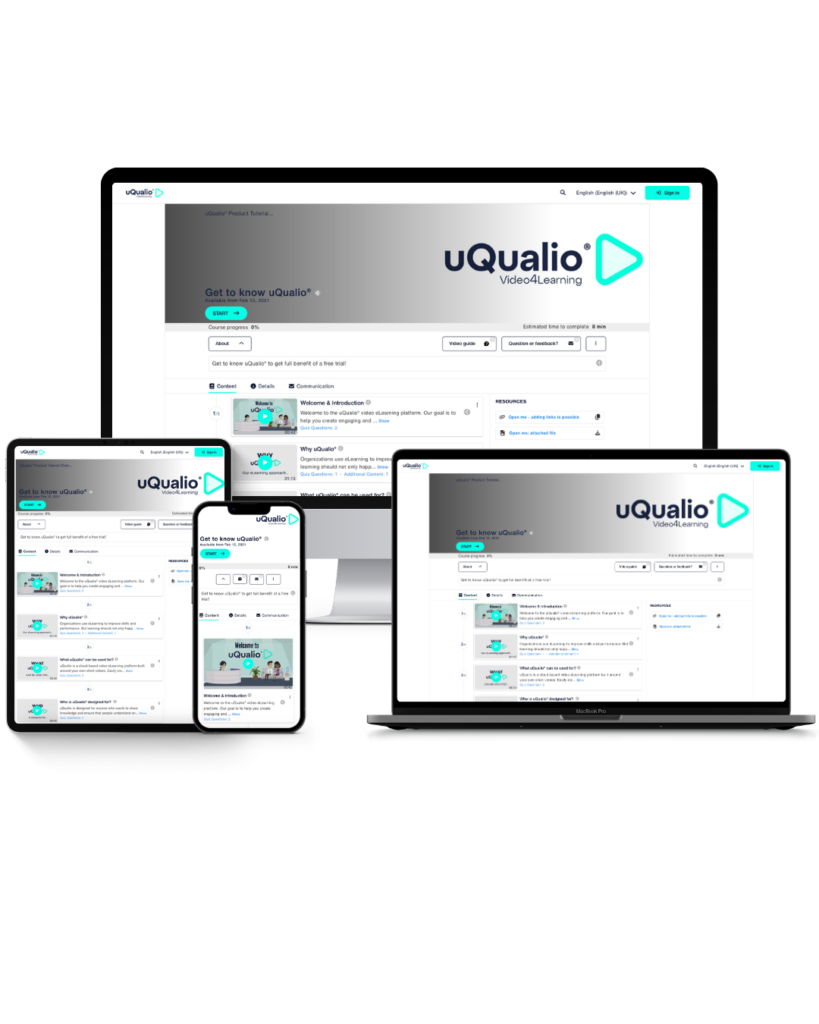
Platform Overview
Most video training never gets made... Simply because the tools make it too hard!
The biggest barrier to better training isn’t budget. It’s friction. The expert who actually knows the material can’t build a course without an instructional designer, an IT ticket, and weeks of setup, so the course never happens.
uQualio removes that friction. A subject matter expert can record a video on their phone and publish a tracked, quiz-enabled, branded course the same afternoon — no developer, no design team, no implementation project.
⚠️
The usual way to video training
- Brief an instructional designer, wait for a draft, review, revise. Weeks of lead time before a single learner sees anything.
- Raise an IT ticket to configure the LMS, then wait in the queue.
- Pay $2,000–10,000+ for a vendor onboarding package just to get started.
- Pay per seat for hundreds of users. Most of whom never log in.
- End up with long, dull courses that under 15% of learners finish
✓
The uQualio way
- The expert records the video and publishes same day. No designer or middle-man
- No IT involvement! Built for subject matter experts, live in about 2 hours
- Free onboarding session and built-in video guides. $ 0 to get started
- Pay only for active learners. Never for seats that sit idle
The question isn’t: What can you do in uQualio? It’s what can’t you do?!
From AI-powered course creation to enterprise-grade security, uQualio is designed to be high-value but low-lift. Created for SMEs, not software engineers, it is powerful enough to make an impact but lean enough to learn fast. So you can create effective video training without excess complexity or cost.
Create your course
Build training from video in under an hour
Three features, one goal: go from raw video to published course without a studio, script, or IT team.
Video-based learning
Turn any video into structured training your audience will actually finish.
uQualio is built around short video: Not documents, PDFs, or slide decks.
Course builder
Upload from phone, screen recorder, YouTube, Vimeo, or an AI avatar tool.
Add a quiz, subtitles, and a certificate. Live in under an hour — no studio or script required.
AI-powered course creation
One upload triggers transcription, quiz generation, subtitles, and dynamic translation into 30+ languages.
You review before anything goes live.
Manage & distribute
Organise your library and reach every audience
Structure content, control access, and send courses to anyone via link, QR code, email, or SMS.
Course management
Organise content into channels, directories, and landing pages.
Manage versions and update any course at any time. The link and QR code stay the same.
Cloud-based delivery
Learners open a link on any device. No app, no installation, no version to manage.
Scales automatically on AWS infrastructure.
Engage & certify learners
Make completion feel like an achievement
Badges, points, and certificates turn passive video watching into verifiable learning.
Gamification and certificates
Platinum, Gold, Silver, and Bronze certificate names by default. Configurable names, pass thresholds, and expiry dates.
Branded certificates are PDF printable and shareable to social media, including LinkedIn. Ranking of achivement
Brand & configure
Your training, your brand - without the custom build
50+ platform settings plus white-label branding. Every learner-facing surface adapted to your need.
Platform configuration
Over 50 settings: subdomain, access rules, learner UI language, email notifications, and eCommerce via Stripe.
Set once; runs without ongoing admin.
White-label LMS
Remove all or parts of uQualio branding.
Your logo, colours, and your domain on every email, certificate, and page learners see.
Connect your stack
12+ integrations, four deployment modes, full API access
Standalone, iFrame embed, REST API, or headless. Your UI, uQualio as the backend.
Solutions and integrations
12+ native partners, including Vimeo, Stripe, Synthesia, Elai, Collossyan, Kaltura, and Planday.
Four deployment modes depending on how deeply uQualio sits in your workflow.
API, iFrame embed, and headless
Embed inside your product, automate enrolments, fire webhook events on completion, or go fully headless.
JWT auth and multi-channel support included.
Measure & report
See who finished, who hasn't, and what the scores say
Real-time dashboards, 10+ report types, Excel export, and direct learner messaging — from one view.
Reporting, analytics, and learner communication
10+ course report types updated in real time. Filter by course, user, or team. Export to Excel.
Send reminders to incomplete learners directly from the report view.
Trust, support & pricing
Secure, supported, and priced for how you actually use it
ISO 27001. GDPR. A free setup meeting on every plan. Public learners always free.
Security and reliability
ISO 27001 & GDPR compliant. AES-256 encryption, EU-based AWS. WCAG accessible with text-to-speech on all quizzes.
Customer support
Free setup meeting on every plan. Live chat and weekly Office Hours on paid plans. Dedicated account manager on Growth and Business plans.
Affordable, transparent pricing
From $19.99/month based on number of privately invited users. Public learners (anyone on an open link) are free on every plan.
From easy course creation, to customer service, and cost savings
– why customers love uQualio

Secure and Flexible Sales Partner Training
“There are many services that uQualio provides which others simply do not. This educational video platform comes at a very good price, user flexibility, and the service ratio are far beyond what others can actually provide.”

Christiane Hunold
Strategic Innovations Manager, FUJIFILM Healthcare


Hassle-Free Customer Education and Support
“What surprised me about uQualio was discovering that you could create a video without any software installation. In just minutes, you can have a video ready, and in 1 extra minute, you could have the link ready to send to a customer. If you don’t currently have a video training platform, uQualio is a very user-friendly option to get started with. It’s easy to familiarize yourself with and start recording videos.”

Lars Olafsson
Founding Partner and CEO/CTO of Orderstep

From easy course creation, to customer service, and cost savings – why customers love uQualio
Secure and Flexible Sales Partner Training
“There are many services that uQualio provides which others simply do not. This educational video platform comes at a very good price, user flexibility, and the service ratio are far beyond what others can actually provide.”
Christiane Hunold
Strategic Innovations Manager, FUJIFILM Healthcare
Get started
Ready to See Every Feature in Action? Start Your Free Trial Today.
No IT team. No complex setup. Build your first video-based course in under an hour.
Explore every feature on this page. Completely free for 14 days.
✓ No coding. ✓ Flexible subsctiption. ✓ From $19.99/month. ✓ Cancel anytime
Complete Feature List
Feature focus - Everything Included in uQualio
No hidden add-ons, no feature gating by tier on core functionality. Here’s the full picture.
Course Creation
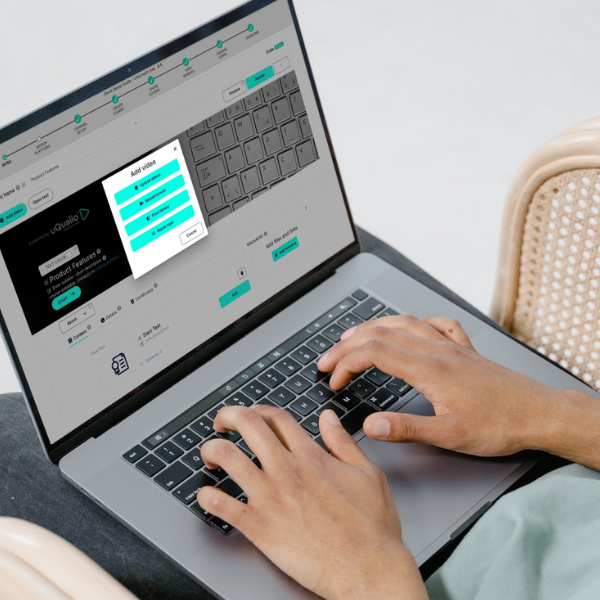
- Video upload from phone, desktop, Google, YouTube, Vimeo
- Screen recording with audio
- AI avatar via Synthesia, Colossyan & Elai
- Scene Selector: bite-size to microlearning without re-editing
- AI course descriptions & learning objectives
- AI quiz question generation
- AI Dynamic Translation (30+languages)
- Text-to-Speech audio versions
- Auto-generated subtitles & captions
- Supporting files & resource attachments
- Content library with bulk upload
Pro tip: Microlearning works: courses with bite-sized video lessons see completion rates up to 80%, versus under 15% for long-form content.
Course Management
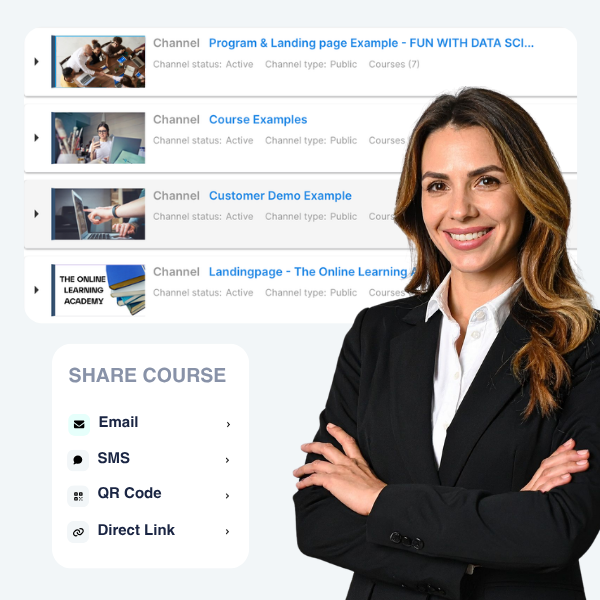
- Draft → Content → Published Course
- Directory, channel & landing page structure
- Private, Protected & Public access modes
- Bulk user invite via Excel upload
- Course Programs — Learning Journeys
- Permanent QR codes & shareable links
- Compliance mode (non-editable courses)
- Admin, Channel Admin & Creator roles
- Email & SMS invites
- Automated expiration scheduling
Did you know? Update a course at any time and the link and QR code stay the same. No need to re-distribute to existing learners.
Gamification & Certification
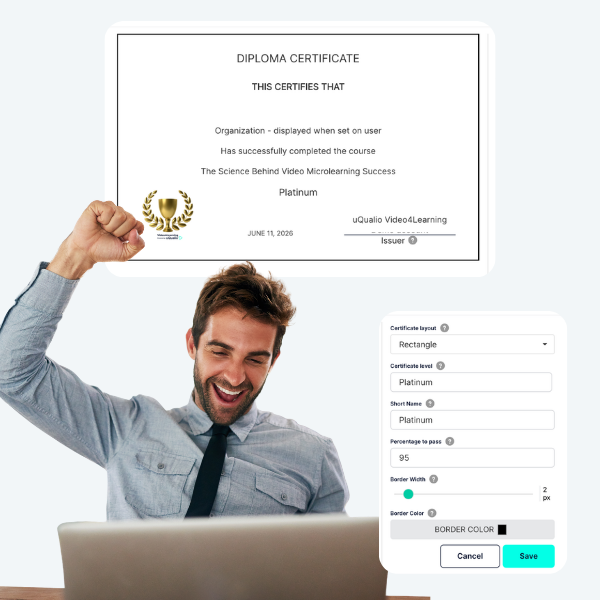
- Multi-tier badges: Platinum, Gold, Silver, and Bronze as standard. Rename as you want.
- 4 badge template styles
- Branded PDF certificates
- LinkedIn-shareable certifications
- 12-month certification storage (endless storage add-on)
- Certification Report dashboard
- Single-choice, poll & text quiz types
- Separate practice & final test questions
- Pass percentage threshold configuration
- Points & learner progress tracking
Branding & Configuration
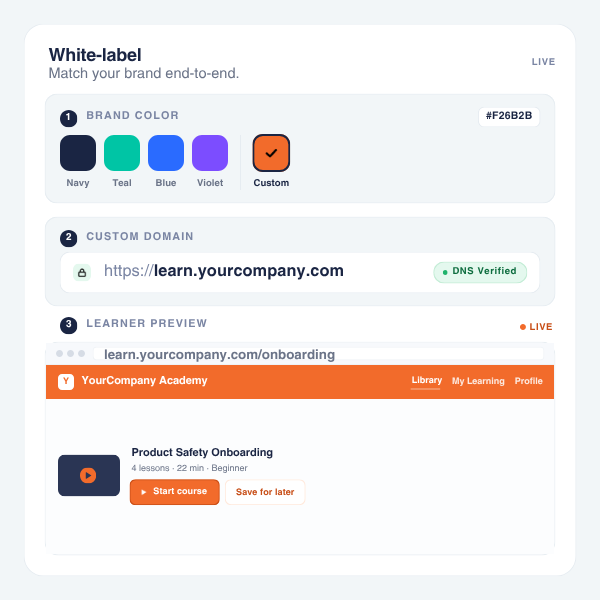
- Full white-label with your logo & colours
- Custom subdomain support
- Customizable email notifications
- 18 learner UI languages
- SSO (Single Sign-On)
- Configurable registration flows
- Welcome & completion message customisation
- Feature visibility per channel
- Skill levels, categories & tags
- Course search & discoverability settings
Pro tip: Most branding setup is pulled in automatic when you add your website name. You’re just adding your logo and colours, not starting from scratch.
Analytics & Communication
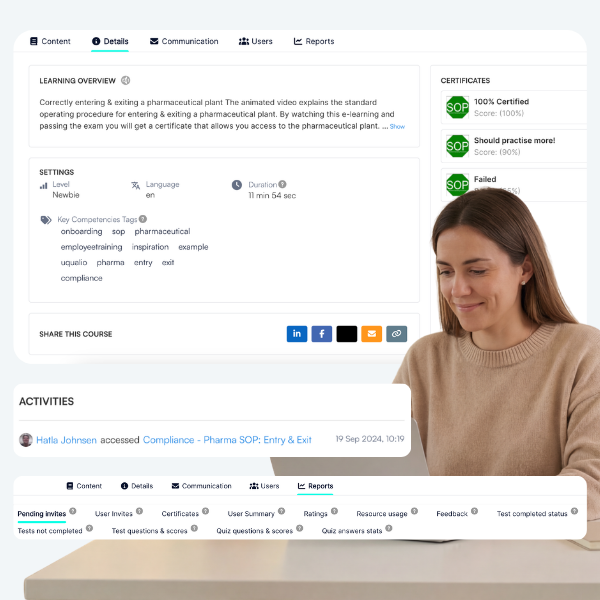
- Real-time dashboard
- Learner progress & completion reports
- Quiz & test score reporting
- Course view & engagement data
- Certification tracking
- Feedback & open-text collection
- Data export in multiple formats
- Automated email & SMS reminders
- Rating of courses
- Nudging of users for completion
Integrations & Security
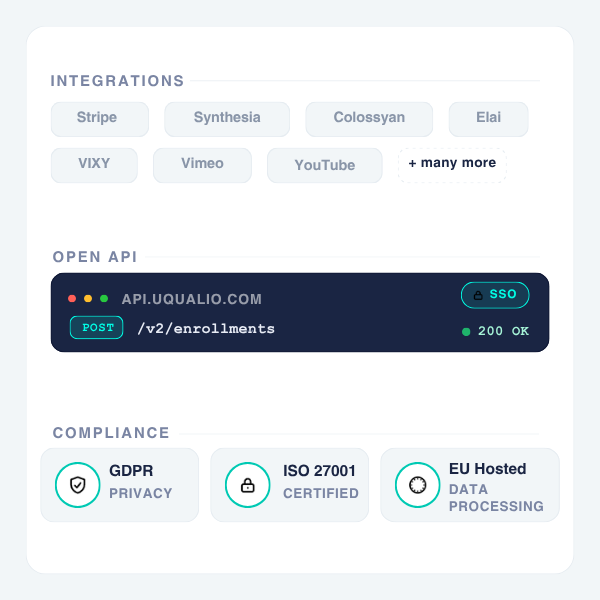
- REST API (add-on, all paid plans)
- iFrame embedding
- Headless/standalone mode
- Stripe eCommerce integration
- Synthesia, Colossyan & Elai AI video
- VIXY video hosting
- GDPR & ISO 27001 compliant
- EU data processing
- Role-based access control
Pro tip: The REST API is available as an add-on on all paid plans. SSO, custom integrations, and partner API documentation are available from the integration partners page.
Everything You Need to Know About uQualio's Features
- What does uQualio do?
uQualio lets you create short video courses with AI-generated quizzes, distribute them via link, QR code, or API, track who completed them in real time, and fully brand the experience under your own name. It’s used for partner training, customer onboarding, employee upskilling, and reseller certification.
- Is uQualio an LMS?
The short answer: Yes. But not a traditional LMS
uQualio is a learning management system focused on video-based microlearning. It covers course creation, learner management, progress tracking, certification, and reporting.
Unlike traditional LMS platforms built for corporate L&D teams, it’s designed for speed: most customers publish their first course within first hour of signing up.
- How is uQualio different from other LMS platforms?
uQualio is built around short videos (not documents or SCORM), AI generates quizzes and translations from a single upload, public learners are always free regardless of volume, and the platform can be white-labelled from $19.99/month. It’s priced on privately invited users, so you don’t pay for your full registered user base.
- Who is uQualio designed for?
Commercial teams, services firms, and SaaS companies that need to train an external audience, dealers, partners, customers, or resellers, without building a custom platform or hiring an L&D team. Also used for internal onboarding and employee training. No IT team, no developers, no instructional design background required.
- How many features does uQualio have?
uQualio covers 14 feature areas:
- video-based learning,
- course builder,
- AI-powered creation,
- course management,
- gamification and certificates,
- platform configuration,
- white-label branding,
- solutions and integrations,
- API and embed,
- reports, analytics, and communication,
- security and compliance,
- cloud delivery,
- customer support, and
- usage-based pricing.
Each has its own dedicated page linked above.
- What features are included in uQualio?
uQualio includes an AI-powered video course builder, Scene Selector microlearning tool, AI quiz and test generation and Dynamic Translation, gamified multi-level passing and PDF’able certificates, directories/channels/landing pages for course organisation, draft-to-publish versioning, role-based admin access, white-label branding with custom domain, REST API and iFrame integration, Stripe eCommerce, real-time analytics and achievement reporting, automated reminders, and GDPR/ISO 27001 compliant data protection – all in one subscription-based platform starting at $19.99/month.
- What languages does uQualio support?
uQualio supports 18 learner-facing UI languages: English (UK & US), French, German, Spanish, Italian, Polish, Ukrainian, Swedish, Norwegian, Danish, Hindi, Punjabi, Turkish, Thai, Russian, Portuguese, and Swahili.
The AI Dynamic Translation add-on feature lets you instantly generate a translated version of any course based on uploaded videos without manual editing in 26+ languages (incl. Bahasa Indonesia (Indonesian), Bahasa Melayu (Malay), Dansk (Danish) , Deutsch (German), English (English (UK)), English (English (US)), Español (Spanish), Français (French), Italiano (Italian), Kiswahili (Swahili) Magyar Nyelv (Hungarian), Nederlands (Dutch), Norsk (Norwegian), Polski (Polish), Português (Portuguese), Română (Romanian), Slovenčina (Slovak), Slovenščina (Slovenian), Suomi (Finnish), Svenska (Swedish), Tiếng Việt (Vietnamese), Türkçe (Turkish), Ελληνικά (Greek), български език (Bulgarian), Русский (Russian), Українська (Ukrainian), اَلْعَرَبِيَّةُ (Arabic), ไทย (Thai), 简化字 (Chinese – Simplified), 簡化字 (Chinese – Traditional).
New languages are added based on customer demand.
- Does uQualio support white-label branding?
Yes! uQualio is a fully white-label video LMS. You can apply your own logo, brand colours, custom subdomain, and branded email templates so learners only see your brand throughout the entire learning experience. uQualio branding is off by default once you configure your account.
- How does uQualio's microlearning tool work?
The Scene Selector tool lets you define start and end points within any uploaded video, effectively splitting a long webinar or training session into multiple focused microlearning modules without re-editing the original file. You can skip irrelevant sections, create multiple modules from a single video, and reorder content freely.
- What integrations does uQualio offer?
uQualio offers four integration modes: Standalone (use it as-is), iFrame Embed (embed channels or courses into any website), available as an add-on on paid plans are REST API (full programmatic integration with SSO), and Headless (use uQualio’s backend with your own front-end). Other specific integrations include Stripe for payments, Synthesia/Colossyan/Elai for AI avatar video, Planday for user management, and VIXY, Kaltura, and TwentyThree for video hosting.
- Is uQualio GDPR and ISO 27001 compliant?
Yes. uQualio is fully GDPR and ISO 27001 compliant. The platform was founded in Copenhagen, Denmark, and processes all learner data within the EU. Data is never sold or shared with third parties. All data is encrypted in transit and at rest, and role-based access controls ensure only authorised users can access sensitive information.
- What analytics and reporting does uQualio provide?
uQualio provides a real-time dashboard with course-level and learner-level data, including completion rates, quiz scores, time spent, course view statistics, certificate issuance, and feedback responses. All reports are available immediately (no batch processing) and can be exported in multiple formats for compliance audits or for BI tool integration.
- What support does uQualio provide?
All uQualio plans include standard support via live chat and email. The platform also provides an extensive self-service video guide library, an AI-powered help assistant, monthly product webinars, a customer resources hub, and a blog with training best practices. Extended and priority support packages are available as add-ons for organisations that need more.
- How much does uQualio cost?
uQualio starts with a free 14-day trial. After the trial, you can upgrade to a paid subscription for 10 users for $19.99/month. Paid plans are either 100% pay-as-you-go where you ou only pay for active users each month, or as subscription packages. Public learners are always free. Visit the Pricing page for full details.